Game guide · FHSYQ
Hitori: a guide for your next round
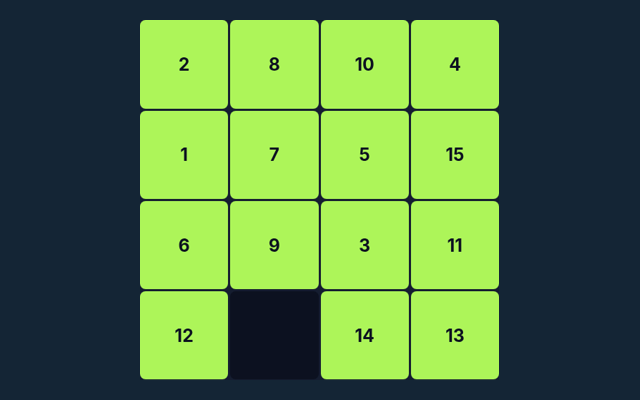
Hitori gives you a focused activity to play in your browser. Shade repeated numbers while keeping black cells separated and all white cells connected. Keep the game area visible while you use its controls. Use the opening round to become familiar with the layout. Look at what changes after your first action.
Play twelve 5×5 puzzles. Any shaded starting cells remain fixed.
Try a more deliberate round
When a decision goes wrong, compare it with the common mistake described below. Start again only when you intend to leave the current round. Make the next step deliberately.
What you need to achieve
Shade repeated numbers while keeping black cells separated and all white cells connected. Keep that objective in view throughout the round. Keep the controls in easy reach.
How a round unfolds
- Click a cell to shade, mark or clear it.
- No unshaded number may repeat in a row or column.
- Black cells cannot share an edge.
- Check puzzle verifies duplicates and connectivity.
How your actions work
Click or tap squares or graph edges. Number boards include a digit pad. Undo reverses the previous change; Check puzzle validates the solution. Keep the playing area visible while using these controls. Look at the feedback after the action.
Learn from a sample situation
Two identical unshaded numbers in one row cannot both remain. Compare this with the rule that governs the move. Look for the relevant detail.
A useful caution
Removing every duplicate can disconnect white cells. Compare the situation with the worked example. Before your first action, say what you are trying to achieve. Then compare the result with the goal.
Questions that come up during play
On this playing page, what is the goal of Hitori?
Shade repeated numbers while keeping black cells separated and all white cells connected.
While reading the Guide, how do I control Hitori?
For clarity: Click or tap squares or graph edges. Number boards include a digit pad. Undo reverses the previous change; Check puzzle validates the solution.
For this browser game, what example helps explain Hitori?
Two identical unshaded numbers in one row cannot both remain.
For my first round, what should I watch out for in Hitori?
Removing every duplicate can disconnect white cells.
For this browser game, what format does Hitori offer?
The key detail is this: Play twelve 5×5 puzzles. Any shaded starting cells remain fixed.
When I return, which play mode does Hitori use?
For clarity: The mode on this page is Solo. Same-device play uses one screen; this game library does not provide internet matchmaking.
While learning, where should I start with Hitori?
For clarity: Click a cell to shade, mark or clear it.
When I return, do I need an account or a payment for Hitori?
For clarity: No player account or payment is needed. Game scores are recreational results, not cash prizes.
For this browser game, how can I find Hitori again?
For clarity: Use the Games list or save this game page in your browser bookmarks. The Guide is linked from the playing page.
As a new player, how do I report an issue with Hitori?
Here is the relevant explanation: Use the contact form and include the game name, browser, device and the actions that led to the issue. Do not send passwords or payment details.